AutoLunch

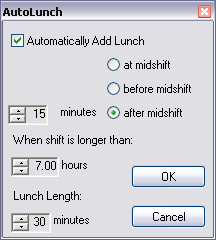
Lunch Time  Home With AutoLunch, scheduling has just become easier and more accurate. By using AutoLunch, employers can easily spot and avoid the turmoils caused by too many employees being "out to lunch" at any one time. AutoLunch is flexible, easy-to-use and provides a true view of your employees' shifts.
  • Start lunches anytime between 90 minutes before midshift to 90 minutes after midshift.
  • Disable or enable Autolunch when shifts are longer than a range of 5 to 7 hours.
  • Set lunch lengths to 30, 45 or 60 minutes
AutoLunch ToolForm

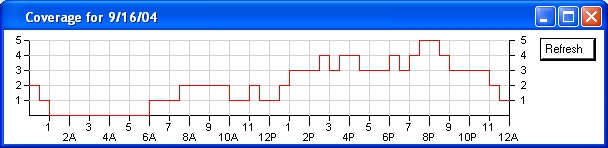
Coverage Graph

Carry_Watch  Home Rbyte's "Coverage Graph" provides a minute-to-minute graphical representation of your scheduled workforce. A powerful and resourceful tool which can help identify potential problems before they happen.
  • Eliminate workforce shortfalls which can cause disgruntled customers.
  • Maximize your payroll dollar by distributing your workforce in response to your customers' demands.
 Coverage ToolForm

Easy Data Entry

Set_Clock  Home
  • A familiar spreadsheet-style interface allows users to quickly enter shifts using simple addition.
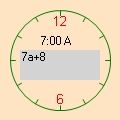
  • Alternatively, a unique 24-Hour Clock Control allows for quick data entry using the mouse
  • Users can create shifts and templates to simplify scheduling.
24-Hour-Clock